Who is the resident computer nerd ?

I save everything to an external hard drive. Which reminds me, I haven't done a backup lately. :ugh: Is that something different you're talking about?
Yes, it is different. You are presumably only backing up data files the apps create. Every device user who values their data should back it up regularly.

I'm referring to a total hard drive (HDD) failure that destroys all data. There are HDD data recovery services, but they are bloody expensive.

What I'm suggesting to you or anyone who wants to have total data recovery on the cheap to learn how to use Clonezilla.

There are backup systems / software geared toward the consumer that can clone / image copy all data. I do not know what is currently out there as I have all I need.

Hardware only drive cloning is a great option. It is one of a few methods I have used for years. You need to become comfortable in removing the drive in your PC.


This looks to be a fine affordable option. I've used devices like it for years.


Stupid bot screener... just wait and you should see this:
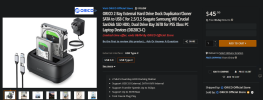
1722660717335.png
 
Last edited:
Linux is a great option unfortunately not all music software works on Linux.
Funny thing is Microsoft bought Red Hat Linux years ago.
Just to kill competition I assume.

I like Linux, it’s not bloated and easily customized. Almost unlimited.
The idea behind it is the best ever created. Free as in free.

I might need to do a Linux boot drive. Also could help recover a dead blue screen of death.
 
Linux is a great option unfortunately not all music software works on Linux.
Funny thing is Microsoft bought Red Hat Linux years ago.
Just to kill competition I assume.

I like Linux, it’s not bloated and easily customized. Almost unlimited.
The idea behind it is the best ever created. Free as in free.

I might need to do a Linux boot drive. Also could help recover a dead blue screen of death.
Take a look at Clonezilla. Forgot to mention it has been around since the stone age. Or thereabouts.
 
I used to be a fan of PCLinix OS.
Elive always had a nice look.
Ubuntu has been a main distribution for years and a huge forum database.
Nice thing about Linux is forums can teach you anything you want to solve ,it is lighter on resources and more powerful with command prompt.
 
Last edited:
Yes, it is different. You are presumably only backing up data files the apps create. Every device user who values their data should back it up regularly.

I'm referring to a total hard drive (HDD) failure that destroys all data. There are HDD data recovery services, but they are bloody expensive.

What I'm suggesting to you or anyone who wants to have total data recovery on the cheap to learn how to use Clonezilla.

There are backup systems / software geared toward the consumer that can clone / image copy all data. I do not know what is currently out there as I have all I need.

Hardware only drive cloning is a great option. It is one of a few methods I have used for years. You need to become comfortable in removing the drive in your PC.


This looks to be a fine affordable option. I've used devices like it for years.


Stupid bot screener... just wait and you should see this:

View attachment 102325
It looks like the power adaptor is for 220V. I'd hate to buy it and not be able to use it.
 
It looks like the power adaptor is for 220V. I'd hate to buy it and not be able to use it.
I do not see any info on the voltage. In any event, a software clone / image solution is more versatile.

There is also Acronis True Image. Acronis True Image 2021 for PC

Easier to use than Clonezilla and has a key features CZ lacks. The ability to mount the backup archive, explore and extract single or multiple files from within it and handy disk preparation tools all in a basic Linux GUI.

The most amazing feature is Universal Restore - the ability to take a Windows installation on a storage device (HDD or SSD) and transfer it to a new PC. I used it once to upgrade the hardware in my self built desktop PC.

Clonezilla is all text with multiple choice menus, but does basic cloning and image creation just as well.

Their current pricing and licensing is a bit confusing. I bought it in 2016 for $30. They expanded the core product into a protection suite including anti-malware. This required a license upgrade in 2018, 2019 and 2021 each was another $30. I disabled the anti-malware component and the automated online within Windows backup capability.

I now only use the offline True Image tool that boots from a USB flash drive in a Linux GUI.
 
Last edited:
I have Acronis , I got when I got my 2 T external drive , but I have never had to use the back up. If the drive tanks it would come in handy.
I also have a little device that plugs in to 2 drives to transfer. Somewhere, it’s new in a box.
 
Yes, it is different. You are presumably only backing up data files the apps create. Every device user who values their data should back it up regularly.

I'm referring to a total hard drive (HDD) failure that destroys all data. There are HDD data recovery services, but they are bloody expensive.

What I'm suggesting to you or anyone who wants to have total data recovery on the cheap to learn how to use Clonezilla.

There are backup systems / software geared toward the consumer that can clone / image copy all data. I do not know what is currently out there as I have all I need.

Hardware only drive cloning is a great option. It is one of a few methods I have used for years. You need to become comfortable in removing the drive in your PC.


This looks to be a fine affordable option. I've used devices like it for years.


Stupid bot screener... just wait and you should see this:

View attachment 102325
I want to say about the plug that it looks like something I bought recently , it came with a bag of adapters to be used in any country I think but you can call Newegg Steve. They have been in business a long time.
Myself I prefer to use a program and external drive. It costs more but it’s portable.
 
I want to say about the plug that it looks like something I bought recently , it came with a bag of adapters to be used in any country I think but you can call Newegg Steve. They have been in business a long time.
Myself I prefer to use a program and external drive. It costs more but it’s portable.
Agreed. Don't think it is 220 only.

Software and an external drive is best. In a total system data disaster like ransomware, external drives keep data safe. The OS C: drive images I save are encrypted, so I do not think ransomware could overwrite those.

The only thing I need to worry about is fire. If I had a secure offsite place to store my external backup drives (4 in active use plus 2 more available) I would do so. Looked into getting a computer media fire safe, but they just cost too much.

I learned all about backups at my last IT position. I was the backup administrator for the organization. I built dedicated backup servers and managed various tape drives starting with 8mm DAT then up to three LTO tape cartridge robotic autoloaders for a solid 15 years. The software was mostly Backup Exec. Tape storage is cheap and expandable. Super dependable too.
 
Last edited:
I finally bought and started using an external a year or so ago, it sits velcro'd to the top of my pc desk top always plugged in for a simple drag n drop. Why I waited so long I have no clue.
In 2013 (I think it was) my computer crashed and I lost everything. I'm a draftsman and do building plans in autocad. When I start a new job I go back and search my saved drawings to find one that's closest to it and I do a "save as" and start my new job from there. I borrow things from other jobs and edit them to fit my new drawing. I have hundreds of details saved as blocks that I can go pick from to add what I need to a new drawing and all kinds of other things that go from job to job. It was all gone! I had to get a new computer, load autocad on it, set it all up from scratch. I had nothing. I had to redraw all my details as I needed them so it took weeks sometimes to do a job that should have taken a day or 2. It took years to get it all back. I learned from it though, now I save everything on at least 2 computers AND an external hard drive. I'm not playing that game again.
 
Agreed. Don't think it is 220 only.

Software and an external drive is best. In a total system data disaster like ransomware, external drives keep data safe. The OS C: drive images I save are encrypted, so I do not think ransomware could overwrite those.

The only thing I need to worry about is fire. If I had a secure offsite place to store my external backup drives (4 in active use plus 2 more available) I would do so. Looked into getting a computer media fire safe, but they just cost too much.

I learned all about backups at my last IT position. I was the backup administrator for the organization. I built dedicated backup servers and managed various tape drives starting with 8mm then up to three LTO tape cartridge robotic autoloaders for a solid 15 years. The software was mostly Backup Exec. Tape storage is cheap and expandable. Super dependable too.
I wonder if I can get someone to build me a backup computer running XP if anything ever happens to the one I have now. That's how I got the computer I use now, I bought it from a forum brother several years ago and he loaded XP for me, XP was already obsolete and unsupported at the time.

Or maybe just a backup hard drive I could swap into in the same computer if the HD it crashes.
 
I wonder if I can get someone to build me a backup computer running XP if anything ever happens to the one I have now. That's how I got the computer I use now, I bought it from a forum brother several years ago and he loaded XP for me, XP was already obsolete and unsupported at the time.

Or maybe just a backup hard drive I could swap into in the same computer if the HD it crashes.
This is way over my head but if you can find a local IT guy that specializes in Linux, you can run emulation software to run XP virtually.
I have never done it but back when XP service ended I thought about trying it.
I got to the end “ not for anything important”

So I won’t do any more links to this subject . I don’t know if it will work but it is brilliant. I don’t think it would be a work environment , more of a home toy.
 
Last edited:
I have Acronis , I got when I got my 2 T external drive , but I have never had to use the back up. If the drive tanks it would come in handy.
I also have a little device that plugs in to 2 drives to transfer. Somewhere, it’s new in a box.
I have an 8 and 6 TB SATA HDDs in my PC as dedicated data storage and the same mounted in external housings. Maybe once a month I clone drive to drive. Had to find a SATA controller card for my last PC build as the main board has no ports. Getting hard to find as it is old tech.

I also have 3 external USB C SSDs for image creation and "I'll just park this here for awhile" backups. Backup obsessed I am.
I finally bought and started using an external a year or so ago, it sits velcro'd to the top of my pc desk top always plugged in for a simple drag n drop. Why I waited so long I have no clue.
Add another. You want at least two baskets to store your eggs. Keep the backup drive unplugged until you need it. That way in the unlikely event you get hit with malware or ransomware the data on the external is safe. You could use the second external as the unplugged backup, ready and waiting.

Ant and @DirtySteve : I would be willing to walk you through Clonezilla over the phone. It'll take at least two sessions - maybe more, but like to help people learn tech. I did IT for 20 years and miss helping others.

The trickiest bit is creating the bootable USB drive. Does not need to be big, the CZ package is less than 500 MB. Once you boot up with the flash drive the rest is relatively easy with a little guidance.
 
I have an 8 and 6 TB SATA HDDs in my PC as dedicated data storage and the same mounted in external housings. Maybe once a month I clone drive to drive. Had to find a SATA controller card for my last PC build as the main board has no ports. Getting hard to find as it is old tech.

I also have 3 external USB C SSDs for image creation and "I'll just park this here for awhile" backups. Backup obsessed I am.

Add another. You want at least two baskets to store your eggs. Keep the backup drive unplugged until you need it. That way in the unlikely event you get hit with malware or ransomware the data on the external is safe. You could use the second external as the unplugged backup, ready and waiting.

Ant and @DirtySteve : I would be willing to walk you through Clonezilla over the phone. It'll take at least two sessions - maybe more, but like to help people learn tech. I did IT for 20 years and miss helping others.

The trickiest bit is creating the bootable USB drive. Does not need to be big, the CZ package is less than 500 MB. Once you boot up with the flash drive the rest is relatively easy with a little guidance
What is Clonezilla?
 
I wonder if I can get someone to build me a backup computer running XP if anything ever happens to the one I have now. That's how I got the computer I use now, I bought it from a forum brother several years ago and he loaded XP for me, XP was already obsolete and unsupported at the time.

Or maybe just a backup hard drive I could swap into in the same computer if the HD it crashes.
Clone the current drive. Buy another ideally of the same capacity and SATA interface. Buy an external drive enclosure for the HDD if still available. I might have a drive (1 or 2 TB) and an enclosure that I'm no longer using. Alternately just find the same HDD to keep as a spare and create an image using Clonezilla using an external drive.

I likely still have a fully licensed version of XP Professional you could use. I see no reason the MAK product key would not work, especially if it never sees the internet.

I could send you an XP installation CD copy. Cheap, easy. Professional has features the lame home version did not.

Lastly, ship me a PC and I could load up Windows along with other goodies. It would need to be of the XP era for hardware compatibility. Notebook or a small form factor business class desktop PC is your best bet. Payment is optional, shipping is on you.

I'd love to load XP from scratch. A trip down fond memory lane, been a long time. Fun, sort of.
 
Clone the current drive. Buy another ideally of the same capacity and SATA interface. Buy an external drive enclosure for the HDD if still available. I might have a drive (1 or 2 TB) and an enclosure that I'm no longer using. Alternately just find the same HDD to keep as a spare and create an image using Clonezilla using an external drive.

I likely still have a fully licensed version of XP Professional you could use. I see no reason the MAK product key would not work, especially if it never sees the internet.

I could send you an XP installation CD copy. Cheap, easy. Professional has features the lame home version did not.

Lastly, ship me a PC and I could load up Windows along with other goodies. It would need to be of the XP era for hardware compatibility. Notebook or a small form factor business class desktop PC is your best bet. Payment is optional, shipping is on you.

I'd love to load XP from scratch. A trip down fond memory lane, been a long time. Fun, sort of.
Let me get back to you on that. I'm using XP pro. I'm trying to digest everything you said. I'm not a computer guy so I only understand parts of your post. :rolf2:
 
I'm a dummy, I don't know what Linux is. I thought it was a browser like Chrome or Firefox.
Well it’s is a truly amazing operating system created in the 90’s by a computer science student. Linus Torvold
 
Back
Top