This is going to be a little long-winded, but unfortunately I don't think I could cut corners.
If you have a smartphone you can download the photo bucket mobile app. (Just look it up on your internet browser, and you should be able to download it to your phone.
Download it, press the icon on your phone screen, and it should start up.
First of all after downloading the app, you need to register. If you had photo bucket on your computer, you can log in with the same name and password.
If that's the case all your old pics that were previously uploaded there, should start to appear on your photo bucket app.
Here's a screenshot with my photo bucket... Note the blue upload button on the top right corner.
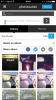
You can take new photos with your cellphone camera and upload them directly to your bucket to save space on your phone's memory too.
When your pics are uploaded, touch the one you want to share on a website/forum etc. You'll see a button at the bottom right of the pic saying "share".
Touch that, and a pop up menu will appear, with the following:
Facebook
Twitter
Get Links
Email.
Touch "Get Links" and you'll get a new page with a heap of internet address boxes, called "Links To Share"
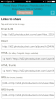
Choose which format you want to post, and touch that address bar.
I've touched the IMG field, and highlighted it to accept the full URL (address). Some photo bucket app formats may just have a popup at the bottom of the screen saying "Link Copied" or something similar.
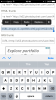
Once you've highlighted the field (or got the message "Link Copied"), you can navigate back to the page you wanted to post the picture on, such as "The Tone Rooms", and touch the field you wish to add the picture to, as if you're going to type something.
You should come up with the following menu on the screen where you have touched: [Select, Select All, Paste, Look Up.]
Click "Paste" and the pic will start uploading to the page. You'll get a box at the bottom of the page showing the picture when it's uploaded.
Touch the part of the page you want the picture to appear.
Click on thumbnail or full image, and it should appear there.
Then click "Post Reply" as per normal, and you should have pictures on your post!
Any problems, please PM or email me.