Ramo
AmTHRASHador of Chugz


Thanks brotherSorry Ramo, I've been busy this week and ony just saw this.
Right click a track strip in the mixer
View attachment 68199


Thanks brotherSorry Ramo, I've been busy this week and ony just saw this.
Right click a track strip in the mixer
View attachment 68199


I’ve got similar questions I need to get answered, just haven’t spent too much time yet on it. I’ve got 2 external mixers with USB interfaces, a new RME Fireface UFX+ with a USB 3.0 interface and a 500 series rack. From what I’ve read, but not put any effort into yet, is I’ll need an ASIO driver to take the 3 USB codec driver streams and combine them into 1 stream that goes to Reaper. I’ve been down these software driver rabbit holes before and expect to spend a whole day getting these to play together.How do you use external equipment with a DAW? Do you have the signal go through it before going into the audio interface, or is USB magical and you can route stuff in and out as you like?
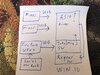


What do you have assigned as the input/record source on your drum tracks in Reaper?I'm still trying to figure out recording drums. Got the multitrack set up for all the different drums, can play along with my guitar track and hear them on reaper. When I record the drums it does it and saves the file, but there is no sound. Like I said, I can hear the drum while recording, but no signal shows in the track and the file is just blank.


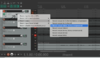
For clarity, and I did edit my above post, the record armed track is the track with EZDrummer in the effects chain.Thanks @Thatbastarddon I will give that a shot.
Ok I’ll wait...Thanks @Thatbastarddon I will give that a shot.

Damn, that iced tea was good!
Hahahahahaha! Nope! But I have since moved on to a nice Vermont double IPAWas it of the Long Island variety?
Not going to be able to get to it until tomorrow. Boo's probably asleep on the keyboard now anyway.Ok I’ll wait...
It’s ok....I know it works...I’ve done it now....but I only did latency compensated stereo...I’m gonna hafta try multichannel, and blow them out to individual stems and tracks though...I can smell itNot going to be able to get to it until tomorrow. Boo's probably asleep on the keyboard now anyway.
Okay, I was able to record, save and import a drum track into reaper. I will go with this for now before I delve into how to actually build the track in reaper. It makes my brain hurt too much and I want to play guitar.It’s ok....I know it works...I’ve done it now....but I only did latency compensated stereo...I’m gonna hafta try multichannel, and blow them out to individual stems and tracks though...I can smell it
To me, the EZDrummer stuff is usually, or has been, a place-keeper/note pad for an eventual human drummer. Thus, I don’t tend to delve too deep. I just keep time, and may play around a bit, but not usually too much.When creating electronic tracks stems is the best way to handle it so you can effect each drum individually for whacked out drum patterns and stuff like that. EZ Drummer is soooo awesome for a lot of different kinds of music. The electronic kit is my fav drum plugin of all time for synth based music.
View attachment 68284
What are you looking to “actually build”? A midi performance from a control unit/electronic kit?Okay, I was able to record, save and import a drum track into reaper. I will go with this for now before I delve into how to actually build the track in reaper. It makes my brain hurt too much and I want to play guitar.