Still figuring out Reaper

Kerry Brown

Ambassador of the Great Northern Bar Jams
Country flag
So far I'm really liking it but there are so many options there is a lot of features I'm not using yet. Here is my latest try at a recording with Reaper. Guitars used were a Taylor GS-Mini-e, Epiphone P90 Les Paul Jr., Tokai P-bass, Apogee Mic+, Apogee Jam guitar/USB interface, Blue Cut VST plugins and the Reaper Rea plugins. I'm going to have to figure out how to add drum loops to Reaper. I have an Akai MPK-Mini which has programmable pads but I'm a hopeless drummer.

 
So far I'm really liking it but there are so many options there is a lot of features I'm not using yet. Here is my latest try at a recording with Reaper. Guitars used were a Taylor GS-Mini-e, Epiphone P90 Les Paul Jr., Tokai P-bass, Apogee Mic+, Apogee Jam guitar/USB interface, Blue Cut VST plugins and the Reaper Rea plugins. I'm going to have to figure out how to add drum loops to Reaper. I have an Akai MPK-Mini which has programmable pads but I'm a hopeless drummer.

Sounds like you got the hang of it to me! Nice job!
 
Sounds great @Kerry Brown !
Is that a metronome I’m hearing in the intro, and the quiet parts? ;) I’ve had that happen to me before...
Excellent first effort! Don’t worry about all of the options. I’d suggest that you learn them as the needs arise.
As to the drum thing...I broke down last year, and got EZ Drummer...it lives up to the name. It works well with Reaper, and can run in stand alone mode for practicing. It’s much more stimulating than a metronome, even when you just keep it simple. If you do record to a metronome, it is fairly easy to insert drums after the fact too.
 
I think my microphone picked the metronome up from my headphones. I hate recording to a click track or a metronome. I much prefer a simple drum track, especially for recording the bass track. Also I’m going to have to mix with SoundCloud in mind. It sounded quite different in Reaper. It lost the arpeggiated electric rhythm guitar.
 
The other option, is to download a free drum loop, ad the file to your desktop, then drag and drop it onto a track. Found this out when adding sound effects to a commission piece I did for someone. But yea, don’t get bogged down on all the extra stuff. I’ve used Reaper for years and still haven’t discovered all the features it has.
 
Mixing for Soundcloud is something else. I honestly don't know what they do to tracks. When you download them they sound fine, listening online, not so much.

honestly that’s where I get lost in the sauce too, any mixing I do is just volume adjustment and panning, making sure instruments don’t get overpowered. For drums, honestly I use my keyboard and switch to the “rock drum” voice and play it out and I’m no drummer either.

I never could get used to those built in drum programs where you have to record one mouse click at a time. Arguably with that you could copy and paste notes into the arrangement that you want/need but for me that’s just too tedious.
 
honestly that’s where I get lost in the sauce too, any mixing I do is just volume adjustment and panning, making sure instruments don’t get overpowered. For drums, honestly I use my keyboard and switch to the “rock drum” voice and play it out and I’m no drummer either.

I never could get used to those built in drum programs where you have to record one mouse click at a time. Arguably with that you could copy and paste notes into the arrangement that you want/need but for me that’s just too tedious.

I've been putting drums in one note at a time since drum machines in the early 90s. o_O

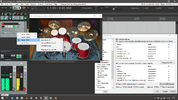
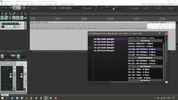
Most drum VSTis have a section that you can select a style and drag and drop into a track on the DAW. That leaves just fills and special sections to add manually.

Drum drag and drop.png

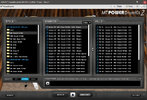
MT Power Drum Kit is pretty flexible and free...

MT Power Drum Kit Grooves.png
 
Last edited:
I never could get used to those built in drum programs where you have to record one mouse click at a time. Arguably with that you could copy and paste notes into the arrangement that you want/need but for me that’s just too tedious.
That’s one reason I broke down and went to EZDrummer....

You can drag and drop stock loops/grooves, and edit from there...
 
I've been putting drums in one note at a time since drum machines in the early 90s. o_O

Most drum VSTis have a section that you can select a style and drag and drop into a track on the DAW. That leaves just fills and special sections to add manually.

View attachment 51618

MT Power Drum Kit is pretty flexible and free...

View attachment 51619
I'm a MT Power Kit user myself.

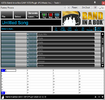
Customize it in the midi piano roll editor.

Downloading the mapping from MT Drums makes it actually fun.
 
Back
Top