

Col Mustard
Ambassador of Perseverance

I was just idly reading posts over on ETSG and I clicked on one of the
controls to take me back to the home page and something attempted to
take over my computer. Or at least it seemed that way.
the screen went dim, and a page or two that I didn't expect showed up, one
on top of the other, and then there was that annoying little pop up saying that
my Adobe reader was out of date, ...just click here and...
I immediately quit Safari, and I seem not to be invaded.
Weird... I don't know if it's ETSG's fault or if I picked up a worm
on some clickbait site that I visited. You never know when
something weird will pop out at you, these days.
I'm using a "new" old computer from 2015 that I recently bought at
University of Michigan's Property Disposal facility. I've done well buying
apple computers there, and had very little trouble with any I've bought
used like that. The University's I/T guys know how to wipe them down
before releasing them.
But I don't have "Malwarebytes" on this machine yet. So I'll have
to get that and get it working on my behalf, just in case. Malwarebytes
is a decent program, and I usually run "AdBlocker" too. My Macs
usually disallow pop-ups, as a preference. So I'm not really used to
this kind of e.
e.
controls to take me back to the home page and something attempted to
take over my computer. Or at least it seemed that way.
the screen went dim, and a page or two that I didn't expect showed up, one
on top of the other, and then there was that annoying little pop up saying that
my Adobe reader was out of date, ...just click here and...
I immediately quit Safari, and I seem not to be invaded.
Weird... I don't know if it's ETSG's fault or if I picked up a worm
on some clickbait site that I visited. You never know when
something weird will pop out at you, these days.
I'm using a "new" old computer from 2015 that I recently bought at
University of Michigan's Property Disposal facility. I've done well buying
apple computers there, and had very little trouble with any I've bought
used like that. The University's I/T guys know how to wipe them down
before releasing them.
But I don't have "Malwarebytes" on this machine yet. So I'll have
to get that and get it working on my behalf, just in case. Malwarebytes
is a decent program, and I usually run "AdBlocker" too. My Macs
usually disallow pop-ups, as a preference. So I'm not really used to
this kind of
e.
Last edited:


 Doh
Doh 




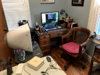
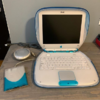
 and I laughed/snorted and choked on my sleepy time pre bed tea........EXTRA CREDIT FOR COL....woulda been a over the wall homer had I spit tea on this infernal Gates contraption!
