Eliminating high-pitched mixer noise

RVA

Ambassador
Mates,

I am getting a high-pitched noise when I launch my DAW software in connection with my Behringer mixer. I am led to believe this is a ground loop, likely caused by the USB connection to my computer. Does that sound right? How do I remedy this issue?

I tried eliminating the ground on the Behringer mixer a/c plug without success. I also messed with the levels on the PC audio, but tgat also had no effect.

Thanks for any advice.
 
Last edited:
I’ve noticed that your troubles have returned with a vengeance. It had seemed to get better on a few of your recordings.
It could be one or two of lots of things. I’m getting ready to go to work right now, but off the top...
Make sure that all recording gear is on the same house circuit, sharing the same ground path.
This is a little thing that can make a big difference in noise floor.
Impedance matching, and proper cables are a must too. That can be very involved to track down.
But the clean power set up is a solid foundation to build a quiet system.
 
Last edited:
I’ve noticed that your troubles have returned with a vengeance. I had seemed to get better on a few of your recordings.
It could be one or two of lots of things. I’m getting ready to go to work right now, but off the top...
Make sure that all recording gear is on the same house circuit, sharing the same ground path.
This is a little thing that can make a big difference in noise floor.
Impedance matching, and proper cables are a must too. That can be very involved to track down.
But the clean power set up is a solid foundation to build a quiet system.
Thanks Don. I have everything on one circuit, I believe. It starts as soon as the Studio One DAW engages the mixer. Any chance it is simply noisy pre-amps?
 
I will not offer any expert opinion here, but I will mention an issue that made a huge difference in my own noise issues when I wasn't even doing anything complicated like you are trying, Ray.
I was getting amp noises which I thought could have possibly been just because the amp I was using was old and possibly had issues before I bought it.
In getting this weird noise, I will paint the pic of my situation. I first noticed my noise that I thought was simply a ground issue in my SG Faded electronics. The noise was intermittent and present in my almost lowliest amps ( Solid State Princeton Chorus), but I think occurred in my Twin as well. If memory serves me right, it was like a hum/whistle/chirp kind of noise. After trying to fix the ground issues by shielding the cavities and replacing pots and caps in my SG ( I had a bad pot that wasn't working right) The noise was still there. I switched amps, switched outlets and cords and all manner of variables. The fix was not easily found, but I tried all manners of things I could think of to see if something made any effect. Finally, I found a cause and effect. The room I play in is the Master Bedroom upstairs in a house built in 1850's. I think I was on a deliberate hunt and see throughout a period of time and finally discovered that if the living room ceiling light was on, I finally caused the noise to occur, and then when it was off, NO NOISE.

SO, after that long story, it turned out to be because of a light that was operated by a Dimmer Switch.
Any chance there is a dimmer in use somewhere while you are trying to use your software and mixer?
 
Possible, or improper gain staging.
I don’t mean to beat a dead horse, but power to the computer, and mixer... is it possible to use the same wall outlet, on a power strip or upc etc?(if they are not already)...and have you ever tested the outlets to verify they are properly wired?

Beyond that what is your signal chain?
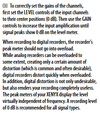
If you are using a microphone on a speaker cabinet, are you setting up the mixer channel to get a solid signal(are you able to see a meter for pre fader gain setting? Often abbreviated PFL)?
It would be good practice to verify your mixer signal with headphones, if possible, to make sure that it is strong, good, and not clipping in your mixer anywhere)

In the software there will be other gain to deal with too.(I’m at work now, and I can’t dig in to look) If you start with good signal from the board, you can move on to the software end, and verify that there are no outlandish settings in the software that are making up for a deficiency upstream.
 
  • Like
Reactions: RVA
SO, after that long story, it turned out to be because of a light that was operated by a Dimmer Switch.
Any chance there is a dimmer in use somewhere while you are trying to use your software and mixer?

That was a huge thing for me once. I’ve heard that ballasts going bad in fluorescent light fixtures can have similar effects.
 
Possible, or improper gain staging.
I don’t mean to beat a dead horse, but power to the computer, and mixer... is it possible to use the same wall outlet, on a power strip or upc etc?(if they are not already)...and have you ever tested the outlets to verify they are properly wired?

Beyond that what is your signal chain?
If you are using a microphone on a speaker cabinet, are you setting up the mixer channel to get a solid signal(are you able to see a meter for pre fader gain setting? Often abbreviated PFL)?
It would be good practice to verify your mixer signal with headphones, if possible, to make sure that it is strong, good, and not clipping in your mixer anywhere)

In the software there will be other gain to deal with too.(I’m at work now, and I can’t dig in to look) If you start with good signal from the board, you can move on to the software end, and verify that there are no outlandish settings in the software that are making up for a deficiency upstream.
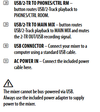
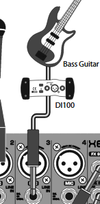
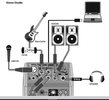
Same power strip. Path is amp emulated out or Weber power attenuator > mixer > USB out on mixer > computer. It is all the same. The moment the software engages, the whistling starts
 
Ray, can you post pics of how everything is hooked up?

You know me, I would help even if I never had any experience with what a friend is trying to accomplish.
 
Back
Top