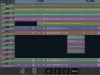
Multritrack DAW by Harmonicdog. It’s an iOS app for iPhone, and iPad. It’s been around for a few years now. It’s fairly simple at heart, but reasonably effective. It lacks parameter automations for functions like volume and pan etc. Basically...you can automate a fade in, and fade out, for each sound file, but you can’t automate any decrease or increase in volume at any points between the fade in, and fade out. Essentially, you can’t “ride the faders and pans” while mixing, really...it forces you to manage the performance dynamics, and use your instruments in performance to control dynamic passages. For example; the guitar solo in my version of Pink Floyd’s “Mother” pictured above in tracks 8 and 9. You can see the files have been trimmed of excess recorded material...I’ve trimmed off most of the blank space before, and after, the pertinent recording. I’ve also set a fade in, and fade out, where the performance starts and stops...but I actually fade the guitar in and out manually, using the guitar volume knob. So, the solo volume fade out that you hear is actually me...turning down the guitar volume. While the visible fade out on the track starts immediately afterwards, to fade out any remaining amp/pedal noise. That’s about all the volume “automation” you get without other, more “creative” workarounds.
This, to me, is a good thing...as it forces the user to hone performance skills(control their instrument or vocal dynamics...and in the vocal case...use a mic effectively)
However, it is very different from the powerful mixing tools available in most of today’s computer based DAW software. It’s more of a “static” mixing style, where you set the overall track level, and pan, and let the performance speak.
There are some good effects on board...eq, compression, and a bus reverb, and delay. The master bus compressor is fantastic, to me. If you’re in to the iOS inter app audio thing, that’s available for outboard app effects and instruments(I don’t go there, really...I’m aware of the existence, but not feeling the need).
File sharing is fairly easy too... for example: say you use your phone to record something in MTDAW, and you want to use it in a PC running another DAW program. You can access the projects, and tracks in the app from a web browser using the same WiFi network. Pressing the WiFi button on the project page shows the ip to type in to the computers browser...
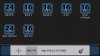
From the browser, on another device/computer, you get a screen that allows you to choose projects, or tracks, to download...(or you could contribute to the phone project by uploading a file or three)...
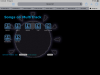
Let’s look in to the “Den live” project...
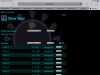
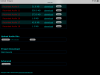
So, yes....it plays well with others(including PC).
The only downer I’ve come across with file sharing with MTDAW is the fact that, although it does record in Wav file format, there is no time stamping...that can lead to some initial frustrations when sharing tracks to other computer based DAW programs, but can be made to work if kept in mind.
Oops! That was lengthy...sorry.