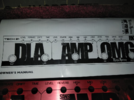
Tech 21 RK5 Kotzen Pedal repair

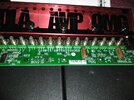
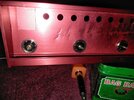
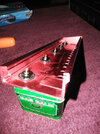
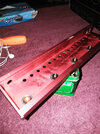
In this pic, you can see the multiple holes for the variable resistors, then the jack holes on each corner plus the socket for the power source which are perpendicular to them on the front face of the pedal. It was hard enough to finagle it out so sliding it in ought to be quite a feat.

Kotzen j.jpgKotzen 4.jpg
 
Last edited:
Thanks Sysco. I was wondering about replacing it,, whether I needed one of those air systems or what. I also had planned to call Tech 21 and see if I can email pics to them, ask their repairs costs etc...

A switch like that is probably one of the easiest SMD components to start practicing with. The pins are plenty far apart and it's quite a large component. In addition to desoldering braid like sysco said, and a soldering iron with decent temperature control, might I suggest some flux to help the solder flow better. It also aids when wicking the old solder off into the braid. Amtech RMA-223 is a good one but really any electronics soldering flux you can get should make things easier.

In my experience you don't really need or even want hot air until you venture into components without any visible leads (QFN packages and such) or other components with a lot of pins on boards that sink a lot of heat when it might be hard to get them warm enough with a soldering iron.
 
Thanks to all my friends here who viewed my explanation of my friend damaged pedal, and my effort to diagnose and get it working 100%.

Update as of 2/17/21 I got my package from Tech 21 today for my RK5 Kotzen Fly Rig version 1.

I did NOT have to de-solder and re-solder in a new Tact switch in the 2nd switch from the left ( DLA) section of pedal.
The spring steel lid that holds the springlike diaphragm and bulbous switch button in place is easily pried off and then the 3 parts re installed onto the existing switch base that was still attached to the PCB.

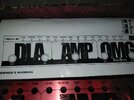
This pedal is laid out in 3 sections. Left to right are DLA/ SANSAMP/ OMG

With power supply and guitar plugged in, the repaired switch works perfectly to turn on the DLA section.
DLA has 2 switches, a Tap is the left most one, then ON/OFF is the 2nd switch ( repaired one)
Controls are: Level, Repeats, Drift and Time


The Sansamp Middle section was intact and appears to function as it should with it's on/ off switch,
Controls are Level, reverb, High mid low and drive.


Finally, the section on the far right is the OMG overdrive section. There is an On/off switch and a Boost swtich which seem to engage and disengage fine here too. BUT I am a little unsure if this section is 100% because of the level or hiss noises and some possible erratic boosts versus lagging of no change ( still have to verify this and decide how to describe the behavior)

So basically I am concerned with the Overdrive section being a bit hissy in the amp, to very hissy depending on amp volume, guitar volume, Level and drive settings on the pedal and of course the BOOST on or off. I have to ask you guys who are accustomed to Overdrive pedals, do they normally sound kind of noisy until the guitar is actually being played? Kind of like my 4 Hole Marshall JMP does in the HIGH 1 input and volume is cranked higher.

Needless to say I am pretty hopeful this pedal will be 100% in due time and give me a sweet pedal I could have never afforded without coming by it essentially as a broken item gift to fix or toss at my discretion.
 
After viewing these few videos, I may be experiencing a pretty normal level of noise in the overdrive section, as the levels of the controls are increased and the 20 db boost is engaged, the hiss noise seems on par with what I hear in the videos. I will try to make sure the pedal's pcb is acting 100% before I fit it back into the aluminum case due to the insertion and any subsequent removal to fix something I might have missed, is not an easy feat. Tech 21 left 0 mm of extra room to insert or remove the controls.

 
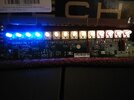
Well fellas, I gave it some more testing. I am pretty sure it might be 99% ready to rock. In my initial round of checking, I only found one thing that I have never seen before, especially since I never dealt with surface mounted components. In the OMG-- Drive section is Level, Tone , Drive and Boost controls. The Adjustment knobs in this section light up RED when the switches are on. Likewise the DLA and Sans AMP sections light up, but in BLUE for DLA and Yellow for Sans AMP.

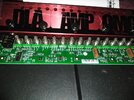
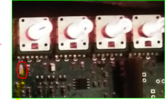
So, my question is, I notice one of the components which is number D35 on the board, will get a flickering red light as the guitar is strummed. It will vary whether it does this flicker depending on the volume level of the guitar but it still does so no matter the setting on the corresponding level control. I am wondering what exactly this component it called and also if the blinking means anything.
-------------------------------------------------------------------------------------------------------------------------------------------------------------
The Manual also explains that there is a Clip Warning in the DLA Section where is says the Level will flash red to warn if the circuit is being overloaded.
I did not see any blinking in my DLA section during any of my test playing of the pedal, but I have made this red light blink when I step on the Tap switch.
 
  • Like
Reactions: RVA
So, my question is, I notice one of the components which is number D35 on the board, will get a flickering red light as the guitar is strummed. It will vary whether it does this flicker depending on the volume level of the guitar but it still does so no matter the setting on the corresponding level control. I am wondering what exactly this component it called and also if the blinking means anything.
I suppose it could be a clipping diode...what section is it in? I can’t find it in focus anywhere....there’s only one pic that I can make out the labels in.
Is there a gain control in that effect section? If so will that affect the light in any way with signal present?(since the level knob that you mentioned would be “post” the clipping section...if it’s a distortion/OD circuit)
 
Bdon, I am not good with phone apps and capabilities and all. But I bet I could take a video clip of the flicker and show it to people in a text.

It is in the OMG overdrive section.
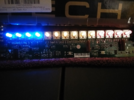
 
Bdon, I am not good with phone apps and capabilities and all. But I bet I could take a video clip of the flicker and show it to people in a text.

It is in the OMG overdrive section.
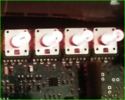
Does the flickering change when you adjust the OMG “drive” control, with signal present?
 
Back
Top