
You are using an out of date browser. It may not display this or other websites correctly.
You should upgrade or use an alternative browser.
You should upgrade or use an alternative browser.
Some Image issues
- Thread starter Jethro Rocker
- Start date
OP

Jethro Rocker
Ambassador of Live & Loud Action

Ah! It used to work and does for some. So I assumed...Do not add BB code. Use the provided image insertion tool. This will automatically add BB code. If you add additional BB code tags, this could be why the image links are broken.
thanks you very nicely. So use the Add Image tool and put URL in...
OP
Jethro Rocker
Ambassador of Live & Loud Action
The only thing that worked was the bottom code button in Imgur for message boards. Nothung else worked, no lknks, no add pocture. But that worked!

Amp Mad Scientist
Ambassador of Heresy

Can BB code create holograms like on Star Trek?Do not add BB code. Use the provided image insertion tool. This will automatically add BB code. If you add additional BB code tags, this could be why the image links are broken.
Or is that only for "paying" members?
I really don't understand what BB code is, and why the XenForo software maker would allow fools like me to edit the code.
What could I possibly do with a BB code editor? Other than cause problems, I mean.
Once it gets beyond cathode and anode, I'm lost totally clueless.

Dave Sloven
Ambassador of DOOM!

Ok I will test this theory

No hollow deck available on this cruise ship. No paying members on this forum with the exception of @RVA , @eSGEe and myself. BB stands for Bulletin Board, which TTR is NOT a bulletin board. Therefore Xenforo DOES NOT require any member to edit any BB code. If you want to use BB code, perhaps you want to join a bulletin board?Can BB code create holograms like on Star Trek?
Or is that only for "paying" members?
I really don't understand what BB code is, and why the XenForo software maker would allow fools like me to edit the code.
What could I possibly do with a BB code editor? Other than cause problems, I mean.
Once it gets beyond cathode and anode, I'm lost totally clueless.
OP
Jethro Rocker
Ambassador of Live & Loud Action
The button second bottom marked BB Code has worked for me for a couple years without fail. Now it seems only the bottom button Linked BB Code is the only one that worked as of yesterday. No other link imbedding or attaching will work now. BUt the bottom one does indeed work.
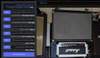
I do not see these options in my browser. I'm not sure how you access those optionsThe button second bottom marked BB Code has worked for me for a couple years without fail. Now it seems only the bottom button Linked BB Code is the only one that worked as of yesterday. No other link imbedding or attaching will work now. BUt the bottom one does indeed work.
View attachment 78440


Far Rider
Ambassador Of The Cataverse

Hi - I link to Imgur like I always have. It was after the Great Crash that I started having problems. I never had any issues before.Are you hot linking to an image hosted elsewhere? Are you trying to upload an image to the TTR server?
OP
Jethro Rocker
Ambassador of Live & Loud Action
That was an Imgur screenshot. Desktop version! I always use that on my tablet! Perhaps that will help @Far Rider too?I do not see these options in my browser. I'm not sure how you access those options
Try what I did above?I can't post any pictures at all now. Get the red X box.
Far Rider
Ambassador Of The Cataverse
Doesn't work.That was an Imgur screenshot. Desktop version! I always use that on my tablet! Perhaps that will help @Far Rider too?
Try what I did above?
Far Rider
Ambassador Of The Cataverse
I should clarify that the image shows during Preview, just not when I try to post it.I can't post any pictures at all now. Get the red X box.
Did you try adding the URL only to the insert image tool on the forum?I should clarify that the image shows during Preview, just not when I try to post it.
Far Rider
Ambassador Of The Cataverse
Yes. Like I always have.Did you try adding the URL only to the insert image tool on the forum?
Sorry, I only accept bit coinThe check is in the mail boss. I swear.
Amp Mad Scientist
Ambassador of Heresy
I see several more "X" out photos in this thread:Sorry, I only accept bit coin
This is a great...
A monolith; ancient aliens, perhaps? Well we all have our vices.......
www.thetonerooms.com